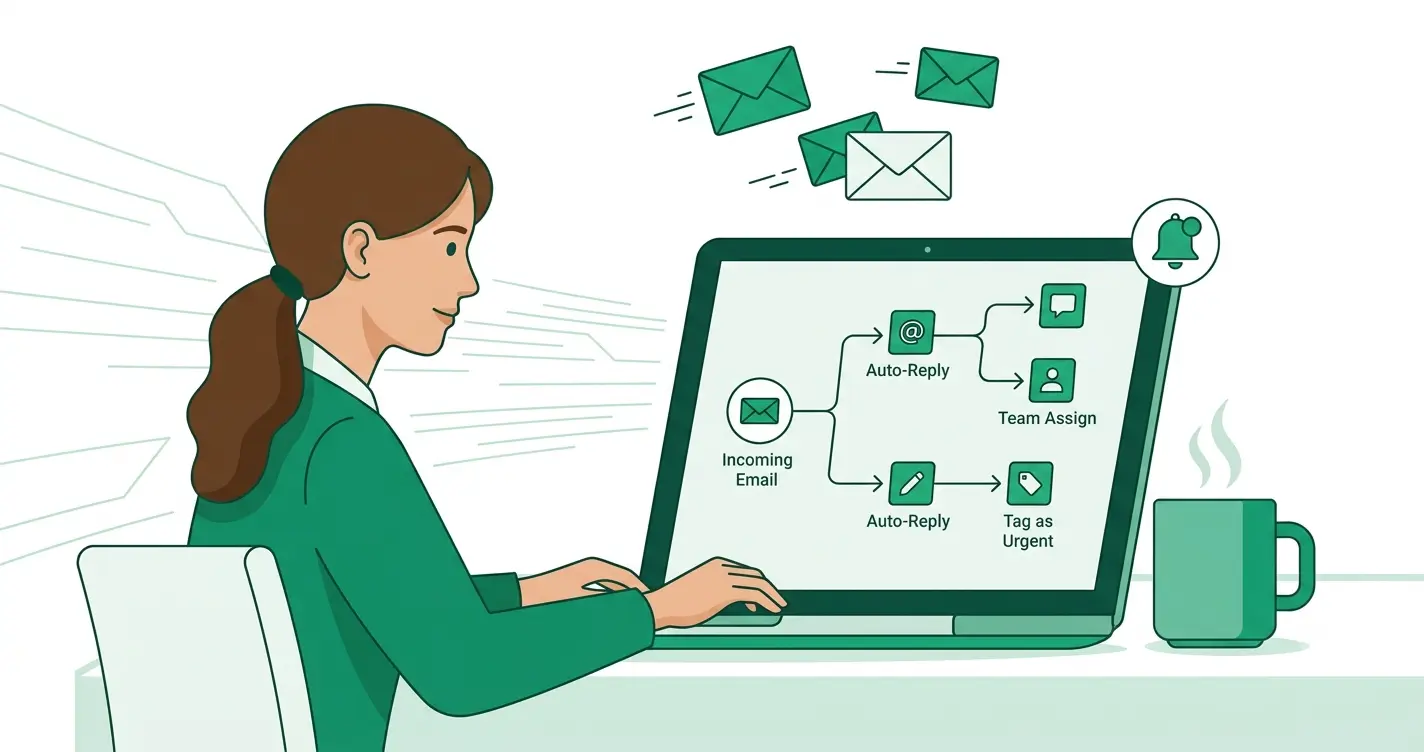
Most small teams spend more time running marketing than thinking about it: building the campaign, fixing the draft, remembering to send the follow-up. Email marketing automation is the fix. It moves the repetitive work, the welcome sequence, the abandoned-cart nudge, the re-engagement email, onto rules and triggers that run on their own, so your list gets the right message without you sending each one by hand. In 2026 a new wave of AI features is pushing that further, toward marketing that is closer to autonomous. This guide explains what automation does, what the AI layer adds, and how to pick a platform that fits.
We may earn a commission when you sign up through some links on this page. This never affects our rankings or the data shown. Read our terms.
Key takeaways:
- Automation turns one-off sends into triggered journeys: welcome, cart recovery, post-purchase and win-back sequences that run without manual work.
- The 2026 shift is AI moving from writing assistance into "agents" that can help build, run and optimize campaigns, the idea behind ActiveCampaign's Active Intelligence.
- The right platform depends on how much automation you actually need: a newsletter sender and a lifecycle marketer should not buy the same tool.
- Price it for your own contact count before deciding: compare email marketing platforms side by side.
What email marketing automation actually does
At its simplest, automation is a set of "when this happens, send that" rules. Someone subscribes, so they get a welcome series. Someone adds to cart and leaves, so they get a reminder. Someone stops opening, so they enter a win-back flow. The value is not just time saved; it is consistency. Every new subscriber gets the same well-tested welcome, every abandoned cart gets followed up within the hour, and none of it depends on a person remembering to do it.
A capable automation builder lets you branch those journeys on behavior: what someone clicked, what they bought, how engaged they are. That is the difference between a basic drip (everyone gets the same three emails) and real lifecycle marketing (the path adapts to each contact). For most small businesses, the move from broadcast-only sending to a handful of well-built automations is the single biggest upgrade they can make to email.
The 2026 shift: from assistant to agent
For the last few years, AI in email tools mostly meant writing help: generate a subject line, draft body copy, suggest a send time. Useful, but you were still the one building everything. The change in 2026 is the arrival of AI "agents," features designed to take on more of the build-and-optimize loop themselves. This is the idea marketers mean by "autonomous marketing": the platform does not just help you write, it helps imagine the campaign, assemble the workflow and improve it as results come in.
It is worth being clear-eyed here. "Autonomous" is a direction, not a finished destination, and you should still own the strategy, the brand voice and the final review. But the better tools are genuinely closing the gap between an AI draft and something you can actually send, and that is where the category is heading.
How ActiveCampaign's Active Intelligence approaches it
The clearest example of this shift is ActiveCampaign's Active Intelligence, the company's native AI layer built into its automation platform. Rather than a single "write this email" button, it is a set of capabilities aimed at making generated work usable straight away. ActiveCampaign describes features including a Brand Kit that pulls your logo, colors, fonts and voice in from the start, Memory that carries context across sessions so past campaigns and preferences inform new ones, and Custom Instructions that apply your tone and rules to every generation. Alongside that sit AI agents such as an AI Campaign Builder and AI Automation Builder, plus Predictive Sending and Predictive Lead Scoring that use engagement data to time messages and rank contacts.
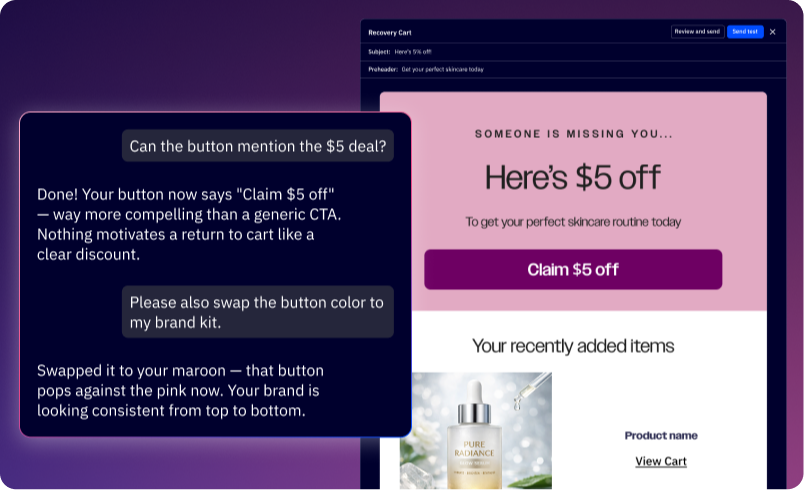
Active Intelligence editing an abandoned-cart email by prompt, applying the Brand Kit. Screenshot: ActiveCampaign.
ActiveCampaign reports results such as building a first campaign several times faster and meaningful time saved each week for teams that lean on these features; treat vendor figures as vendor claims and test them against your own use. What is not in dispute, from our own platform data, is that ActiveCampaign ships this as a native layer with an official MCP integration and pairs it with one of the deeper automation builders in the category and strong deliverability (it ranks at the top of independent inbox-placement tests). If you want to see how the autonomous side feels in practice, you can try ActiveCampaign on a free trial and build a workflow before paying.
It is not the only option
An independent guide should say so plainly: ActiveCampaign is a strong example of the AI-automation direction, but it is not the only choice, and it is not the cheapest place to start. Mailchimp has its own Intuit Assist AI and a genuine free plan, which makes it the easier on-ramp for a brand-new sender who mostly needs newsletters. Brevo is worth a look if you want email and SMS with generous volume-based pricing, and Klaviyo is the specialist if your business lives on e-commerce purchase data. The point of automation is to fit your actual workflow, not to buy the most powerful engine you will never fully use.
Three automations worth building first
If you are new to this, you do not need a complicated map of workflows on day one. Three automations cover most of the value for a small business.
First, a welcome series. When someone subscribes, send a short sequence: a warm hello and what to expect, then one or two emails that deliver something useful and point to your best product or content. This is the highest-engagement moment you will ever get with a contact, and automating it means you never waste it.
Second, abandoned cart or abandoned enquiry recovery. If you sell online, a timely reminder when someone leaves items behind is consistently one of the highest-returning emails you can send. If you are services-based, the same idea applies to a half-finished booking or quote request: a gentle nudge a few hours later recovers business you would otherwise lose silently.
Third, a re-engagement or win-back flow. When a contact stops opening for a set period, move them into a short sequence that tries to win them back, and suppress or remove them if it does not. This protects your deliverability (sending to dead contacts hurts your sender reputation) and, on platforms that bill per contact, it keeps your list lean and your bill down.
Build those three, measure them, and only then add complexity. This is also a fair way to test any platform's AI: ask it to draft and assemble one of these flows, and see how close the result is to something you would actually send on your brand.
How to choose the right platform
Start with how much automation you really need. If you mainly send broadcasts and a welcome email, almost any tool will do, and a free or low-cost plan is the right call. If you want behavior-driven journeys, lead scoring and AI that helps build and optimize them, you are in ActiveCampaign's territory and should price its automation-capable plan, not its entry tier.
Then weigh four practical things: the billing model (some platforms charge for unsubscribed contacts, which quietly inflates the bill), deliverability (a few points of inbox placement compounds at volume), the integrations you need so email syncs with the rest of your stack, and how much the AI features actually do versus how they are marketed. The honest test for any "autonomous" claim is simple: does it shorten the distance between an idea and a sent campaign for your team, on your brand, without a heavy edit every time?
The bottom line
Email marketing automation has gone from a nice-to-have to the baseline, and in 2026 the frontier is AI that helps run and optimize it, not just write it. ActiveCampaign's Active Intelligence is one of the clearest expressions of that shift, with native AI agents on top of a deep automation builder, while tools like Mailchimp, Brevo and Klaviyo fit other needs and budgets. Decide by the work you actually do, then compare the platforms on real pricing for your contact count before you commit.